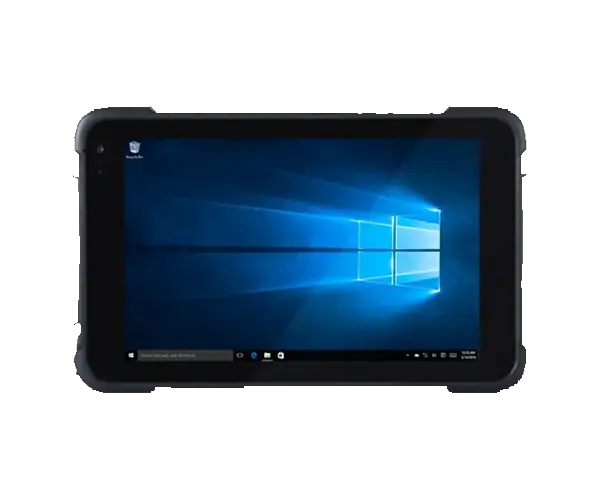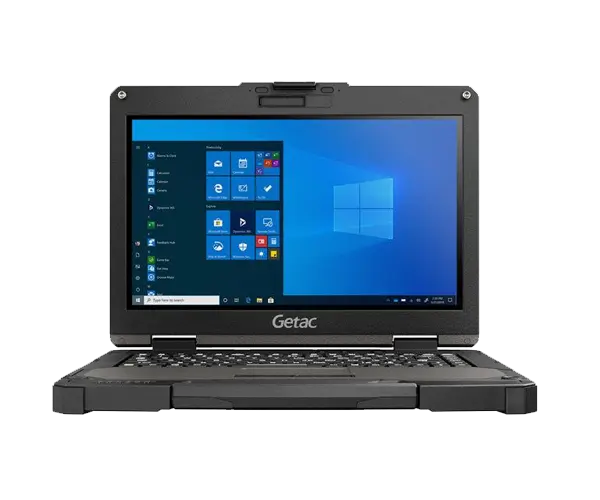
Rugged tablets and rugged laptops are both designed for work that cannot depend on a normal consumer device, but they solve different problems. A warehouse operator scanning hundreds of items does not work the same way as a maintenance engineer connecting to industrial equipment, and a field inspector carrying a computer all day has different priorities from an engineer running CAD or diagnostic software beside a machine.
The better choice depends less on which device looks more rugged and more on how people actually enter data, carry the computer, connect to equipment and run software. For many mobile workflows, a rugged tablet is the more efficient tool. For keyboard-heavy work, legacy interfaces and higher-performance applications, a rugged laptop usually makes more sense.
Users spend most of the day walking, scanning, inspecting, signing forms, collecting photos or working from a vehicle. Touch interaction, low weight, barcode/NFC options, cellular connectivity and docking are usually more important than a physical keyboard.
Users need sustained keyboard input, desktop Windows software, multiple wired interfaces, serial communication, larger storage or specialist hardware such as a dedicated GPU or PCIe expansion card.
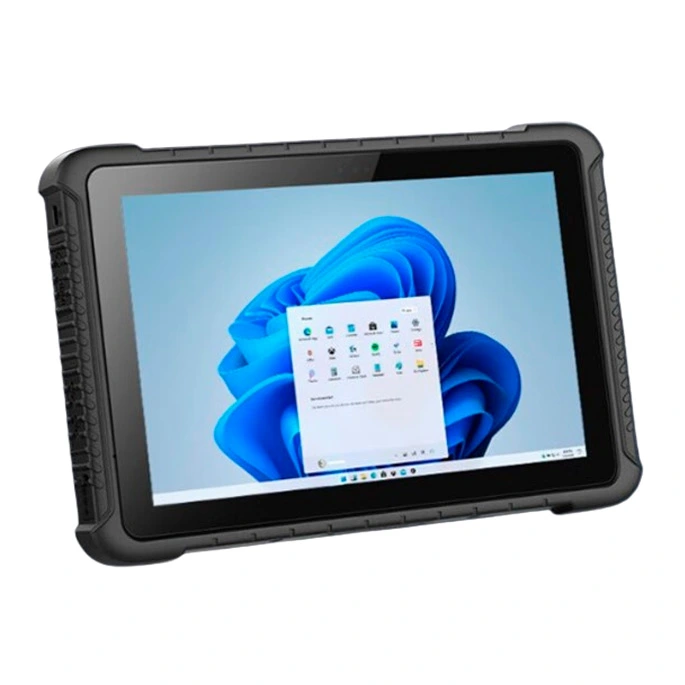
Designed around touch input and mobility. The screen becomes the primary interface, making a tablet easy to carry while inspecting equipment, scanning goods, checking work orders or collecting data.
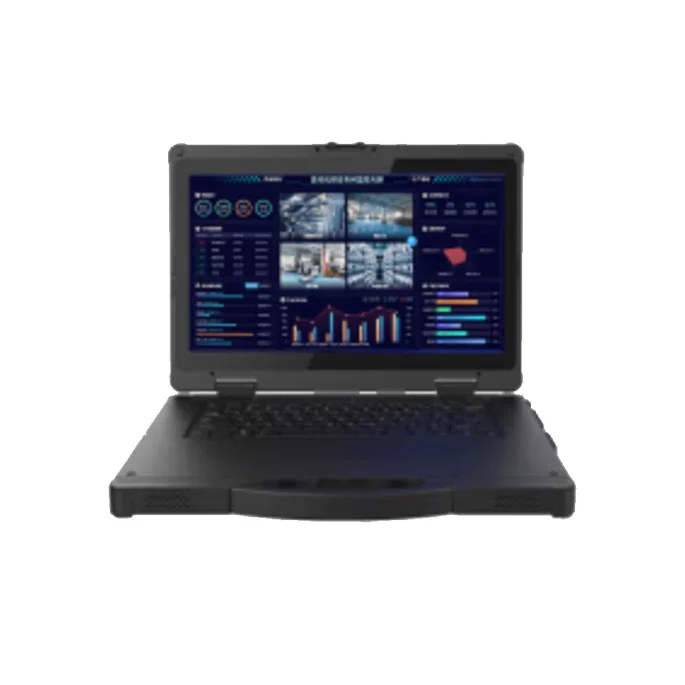
Designed around a complete mobile workstation. A built-in keyboard, larger internal space and richer expansion make it more practical for engineering software, diagnostics and long periods of typing.
| Decision Factor | Rugged Tablet | Rugged Laptop |
|---|---|---|
| Mobility | Better for walking, inspections and handheld data collection | Better when the user moves between workstations but normally sets the device down to work |
| Primary Input | Touch, barcode, QR, NFC, camera | Physical keyboard, touchpad and optional touch display |
| Long Text Entry | Less convenient unless paired with a keyboard or dock | Much more suitable for reports, commands and engineering input |
| Barcode / Asset Scanning | Strong fit; selected VMLINK models offer integrated scanning options | Usually requires an external scanner |
| Industrial I/O | RS232 and RJ45 available on selected models | Generally richer; multiple Ethernet, serial and legacy interfaces available by model |
| Hardware Expansion | Primarily modular communication and data-capture options | Better for additional storage, discrete graphics and PCI/PCIe expansion |
| Vehicle Use | Excellent with docking station or vehicle mount | Suitable where the vehicle acts as a mobile workstation |
| CAD / GPU Workloads | Suitable for lighter viewing and data tasks | Better fit where dedicated graphics or greater memory is required |
“Field service” can describe two completely different jobs. One technician may spend most of the day walking between assets, taking photographs, scanning identification labels and updating service records. Another may sit beside a machine for an hour running Windows diagnostic software and communicating through a serial port.
The first workflow strongly favors a rugged tablet. The second normally favors a rugged laptop.
VMLINK's 10.1-inch VPM-1012 weighs approximately 1.0 kg and can be configured with 1D/2D barcode scanning, NFC, GPS, cellular networking, RS232 and RJ45.
That combination makes sense for technicians who need to carry the device while collecting information and occasionally connect to equipment or a wired network.
View VPM-1012 →VPM-1401 provides a 14-inch Windows platform with a physical keyboard, RS232, dual RJ45 Ethernet, Wi-Fi 6 and optional 4G/5G connectivity.
It is more appropriate when the technician spends significant time entering commands, reading diagnostic information or communicating with equipment through wired interfaces.
View VPM-1401 →Warehouse work involves frequent movement. Operators may scan pallets, verify stock, collect signatures, check work orders and move between receiving, storage and dispatch areas. Carrying a laptop and opening it every time an item must be scanned creates unnecessary friction.
A rugged tablet can combine the display, scanner, camera and network connection in one handheld device. Docking also allows the same tablet to become a fixed terminal when the operator returns to a workstation or vehicle.
The VPM-1222 combines a 12.2-inch 650-nit display with Intel Core i5/i7 processors, Wi-Fi 6, optional 5G, a removable hot-swappable battery and a modular slot that can be configured for RJ45 Ethernet, RS232, USB or QR code scanning. This is a useful combination where a warehouse or field device needs more computing performance without becoming a full laptop.
A maintenance computer often has to communicate with equipment that has been installed for many years. That is why serial ports and wired Ethernet remain important even when modern wireless technology is available.
If a technician only needs to read a barcode and update an inspection record, a rugged tablet with RS232 or RJ45 may be sufficient. If the job involves programming, diagnostics, entering long commands, running multiple software windows or connecting several peripherals at once, a rugged laptop becomes much more practical.
Simple rule: choose the tablet when the computer follows the worker; choose the laptop when the worker sets up a temporary workstation beside the equipment.
Both rugged tablets and rugged laptops can run Windows applications, so operating system alone does not decide the form factor. The important question is how much time the user spends touching buttons compared with typing.
Selecting work orders, scanning barcodes, taking photographs, confirming checklist items, signatures, inventory counts, maps and short-form data entry.
Writing reports, coding, configuration work, terminal commands, CAD, spreadsheet analysis, diagnostics and applications requiring multiple windows or keyboard shortcuts.
If the workflow is mixed, a tablet with a docking station or external keyboard can bridge the gap. However, a detachable keyboard does not automatically replace a laptop when users type for hours every day.
This is where the two device types separate most clearly. Rugged tablets can provide useful industrial interfaces, but their compact chassis limits internal expansion. Rugged laptops have more room for higher-performance cooling, memory, storage and specialist hardware.
Useful for CAD, visualization and GPU-assisted engineering software. Selected VMLINK rugged laptop configurations support dedicated graphics.
Required when the portable computer must work with specialist data-acquisition, communication or control hardware.
Laptop and portable-workstation platforms provide more room when the application requires larger storage or memory capacity.
For example, VMLINK's VPM-1405 can be configured with dedicated NVIDIA graphics and an expansion box providing PCIe slots, making it a very different tool from a handheld rugged tablet.
Battery selection should be based on the work shift rather than the device category. A lightweight tablet may be easy to carry, but cellular networking, high screen brightness and continuous scanning all consume power. A larger laptop may use more power but can also accommodate larger or multiple batteries.
For field teams, a removable or hot-swappable battery can be more valuable than a single laboratory runtime number. It allows the operator to carry charged spare batteries instead of stopping work to recharge the device.
| Example | Battery Approach | Best Use |
|---|---|---|
| VPM-1012 Tablet | Removable battery; listed video-playback test up to 6.5 hours | Mobile scanning and routine field work |
| VPM-1222 Tablet | Dual-battery design with removable hot-swappable large battery | Longer mobile shifts and vehicle/field use |
| VPM-1401 Laptop | Built-in + external battery; listed test approximately 9 hours | Field diagnostics and longer Windows workstation tasks |
Actual runtime varies with workload, display brightness, wireless communication, peripheral use and operating environment.
A technician, delivery driver or inspection team may need the computer mounted inside a vehicle for navigation and dispatch, then carried outside for inspection or data collection. This is one of the strongest use cases for a rugged tablet.
VMLINK tablet models such as VPM-1012 and VPM-1222 offer accessories including vehicle mounts, docking stations, shoulder straps and car chargers. Instead of carrying two computers, the same device can move between docked and handheld operation.
| Application | Usually Better | Why |
|---|---|---|
| Warehouse Barcode Scanning | Rugged Tablet | Handheld mobility and integrated scanning options |
| Asset Inspection | Rugged Tablet | Camera, touch input, GPS and easier one-hand carrying |
| PLC / Machine Diagnostics | Rugged Laptop | Keyboard, serial/Ethernet interfaces and desktop software workflow |
| Field Service Forms | Rugged Tablet | Fast touch input, signatures and photography |
| CAD / Engineering Software | Rugged Laptop | Larger screen, keyboard, GPU and memory options |
| Vehicle Dispatch | Rugged Tablet | Vehicle dock, GPS, cellular networking and handheld portability |
| DAQ / Specialist PCIe Hardware | Rugged Laptop / Portable Workstation | Expansion hardware requires more chassis space |
The two product families overlap in some capabilities, but they are designed around different workflows.
Choose a rugged tablet when touch interaction, scanning, GPS, mobile networking, vehicle docking and portability are central to the job.
Explore Rugged Tablets →Choose a rugged laptop when keyboard input, Windows engineering software, wired I/O, graphics or hardware expansion are more important.
Explore Rugged Laptops →A company does not always have to standardize every employee on one device type. A warehouse can use rugged tablets for scanning and inventory while maintenance engineers use rugged laptops for PLC programming and equipment diagnostics. Field inspectors can carry tablets while engineering teams use portable workstations for analysis.
Matching the computer to the workflow usually produces a better result than trying to force one form factor into every job.
Tell VMLINK what software your team uses, whether workers need scanning or keyboard input, which industrial ports are required, how the device will be carried or mounted, and whether GPU or PCIe expansion is needed. We can help narrow the project to a suitable rugged tablet or rugged laptop configuration.
Discuss Your Mobile Computing Project →It depends on the field task. Rugged tablets are usually better for mobile inspections, barcode scanning, photographs and short-form data entry. Rugged laptops are better when technicians need extensive keyboard input, diagnostic software, multiple wired interfaces or specialist hardware.
A rugged tablet is normally more practical for inventory, scanning and mobile warehouse workflows because it is easier to carry and can integrate barcode or QR scanning. A laptop becomes more useful for supervisors or technicians who spend more time entering data or managing systems from a workstation.
For many inspection, logistics and field-data applications, yes. A Windows rugged tablet can run standard software and can be paired with a dock or keyboard. It is less suitable as a full laptop replacement when the job requires long typing sessions, high-end graphics or substantial PCIe hardware expansion.
Selected rugged tablets can. VMLINK models such as VPM-1012 provide RS232 and RJ45, while VPM-1222 can use a modular interface for RS232 or Ethernet. Always confirm the exact interface required by the equipment before selecting the tablet.
Choose a rugged laptop when your work depends on a physical keyboard, multiple serial or Ethernet ports, large storage, dedicated graphics, PCIe expansion or desktop engineering applications. The more the device behaves like a portable workstation, the stronger the case for a laptop.
Often yes. A rugged tablet can be installed in a vehicle dock for navigation, dispatch or charging and then removed for handheld work. This makes tablets particularly useful for service fleets, logistics teams and mobile inspection operations.
A rugged laptop is usually the better choice for demanding CAD and engineering workloads because laptop and portable-workstation platforms can provide more RAM, storage and dedicated graphics options. For lighter drawing review or form-based engineering tasks, a higher-performance rugged tablet may still be sufficient.
Thank you for your attention on Vmlink Industrial PC!
Please fill the form to let us know your need. We will get in touch with you ASAP.
 English
 한국어
한국어 français
 Deutsch
 Español
 italiano
 русский
 português
 العربية
 Ελλάδα
 Nederland